en


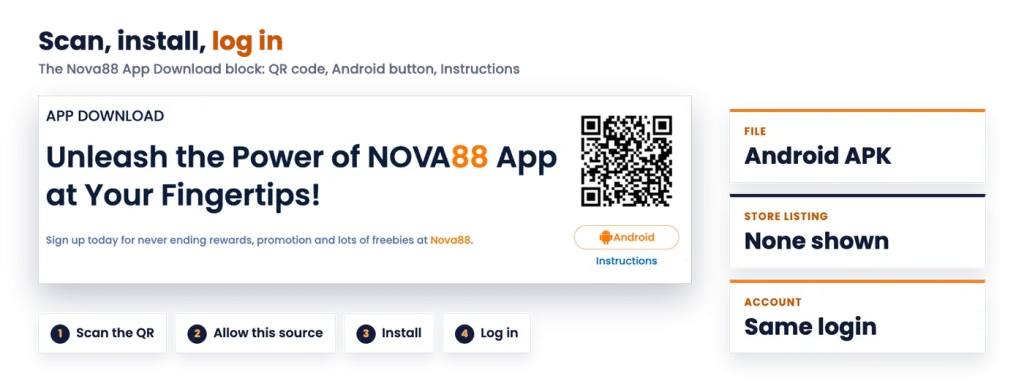
The Nova88 app is an Android file you install yourself, not a store download. It sits in the App Download block on our homepage, headlined around putting Nova88 at your fingertips, with a QR code, an Android button, an Instructions link and a line about signing up for rewards, promotions and freebies.
If you use an iPhone, here is the straight answer first: no iOS download is offered. iPhone owners play through the browser instead, which is covered further down.
One account runs everything. You sign in on the phone with the same Nova88 username and password you use on the member site, and the app opens onto the same cashier and the same product lobbies, so deposits, transfers, withdrawals, statements and your VIP tier all stay in one place. There is no separate mobile balance to top up and no second registration.
Treat it as the same account in a phone-shaped wrapper rather than a different product. If you need a specific feature on the phone, ask 24/7 live chat before you rely on it.
| Detail | Nova88 |
|---|---|
| Platforms offered | Android APK |
| Where to get it | QR code and Android button in the App Download block |
| iOS | Browser only, no iOS download shown |
| Store listing | None shown |
| Login | Same Nova88 account as the website |
| Updates | Download the new APK |
Start the Nova88 download on the phone you intend to play on, because the QR code and the Android button both hand you an APK file that has to live on that device. Scanning the code with another phone’s camera only sends the file to the wrong handset.
Because this is a download rather than a store install, the source matters more than usual. Take the file only from the QR code or the Android button in the App Download block, and check the file name on the download screen before you tap it. Nova88 runs its own warning about counterfeit sites, and a file pulled from a copycat page is exactly the risk that warning describes.
Once the install has finished, you can switch the unknown-sources permission back off in Android settings if you prefer to keep it closed. Reinstalling or updating later simply means granting it again for that install.
Open this page on the Android phone you will be playing on, so the QR code and the APK land on the right device the first time.
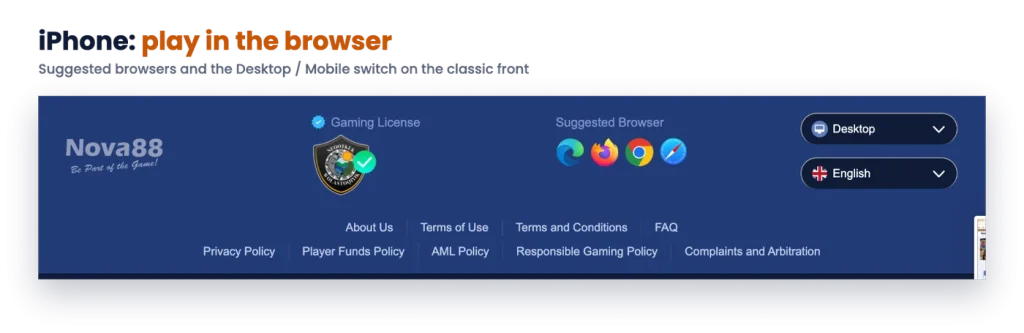
The App Download block carries an Android route and nothing else, so there is no APK to sideload on iOS and no store app to search for. That is not a gap you can work around with a different download link. On iPhone and iPad, the member site simply runs in Safari, Chrome or whichever browser you prefer, with the same login, the same cashier and the same lobbies.
Good to know
The App Download block offers Android only. On iPhone, open the member site in your browser and log in there.
Safari’s Add to Home Screen option is the closest thing to an app icon. As a rule, it saves a shortcut that launches the site full-screen, which makes the site one tap away, but it is still the browser doing the work rather than installed software.
Nothing about the app changes how your account behaves. Deposits keep their per-method minimums and the MYR 10,000 per-deposit cap, every deposit still carries its 1x rollover before withdrawal, and the name on your bank account still has to match your registered name. Rebate percentages and your daily withdrawal limit follow your VIP tier, not your device.
If you have not signed up yet, it is usually easier to finish registering in a browser, where the phone-prefix picker, currency choice and the acknowledgement line are all comfortable to read, and then log in on the handset afterwards. The details you lock in while creating your account, particularly the phone number and the currency, cannot be changed later, so they deserve a careful look on a full-size screen.
Browser access is also the fallback whenever the file will not install, the phone is low on storage, or you are borrowing a device. And on the classic sportsbook front, a Desktop and Mobile switch loads a lighter mobile layout of the same sportsbook without any download at all. For a wider view of what you can reach once you are signed in, from the SABA-powered sportsbook to the live studios, slots, fishing, 4D and lottery sections, start from the platform overview.